
Screenshots
App details
- Updated
- Feb 8, 2006
- Language
- English
- Developer
- Kaspersky Lab
- Category
- Mobile
SoftPas in:
This product is also available in the following languages:
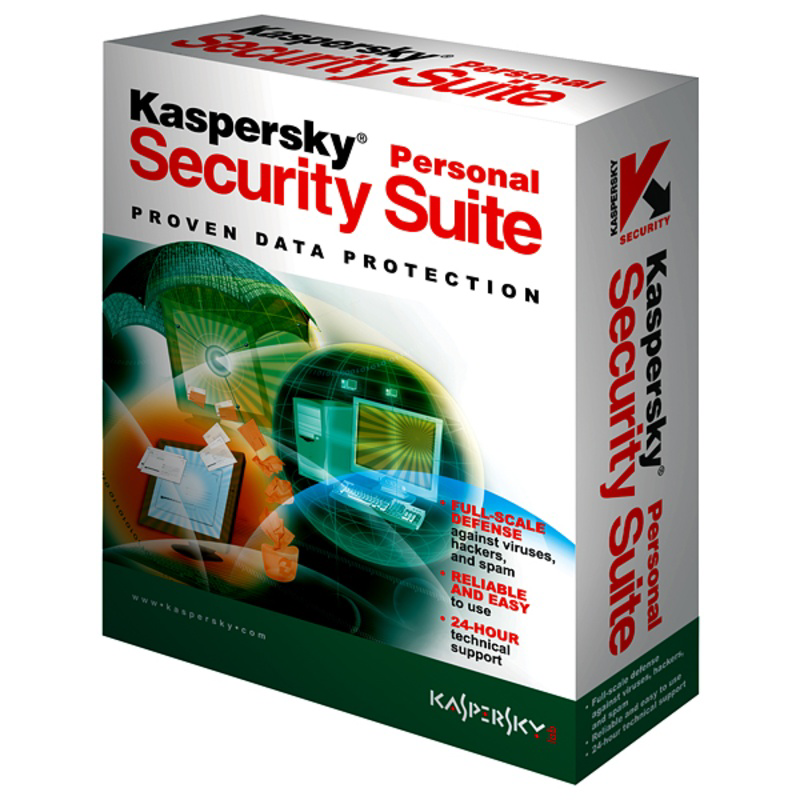
About Kaspersky Personal Security Suite
Download Kaspersky Personal Security Suite – antivirus, anti-malware, real-time protection, spam filter, PC security, secure browsing, Kaspersky Lab
Overview
Kaspersky Personal Security Suite is a comprehensive security solution developed by Kaspersky Lab, designed to safeguard Windows-based personal computers from a broad spectrum of digital threats. The app serves as a foundational tool for users seeking reliable protection against viruses, spyware, and other malicious software that can compromise system integrity and personal data. Its primary purpose is to ensure a secure computing environment by providing proactive defense mechanisms, especially during online activities such as browsing, email communication, and file downloads.
Target users include individuals who prioritize digital safety, especially those using their PCs for sensitive tasks like online banking, remote work, or storing personal information. The suite is particularly valuable for users with limited technical expertise, as it offers a straightforward approach to managing system security without requiring deep knowledge of cybersecurity principles. Kaspersky Lab, a globally recognized name in digital security, brings a legacy of innovation and threat intelligence to this product, reinforcing its credibility in the industry.
Real-world use cases include protecting home computers from ransomware attacks, filtering spam and phishing emails, and maintaining system performance by preventing malware from consuming resources. Within the broader app ecosystem, Kaspersky Personal Security Suite plays a critical role as a trusted frontline defense, especially in environments where security is paramount but user experience must remain accessible.
Key Features & Functionality
- Comprehensive Threat Detection: The suite employs a regularly updated threat database to identify and neutralize viruses, spyware, and other malicious programs. This ensures that emerging threats are met with timely countermeasures, reducing the risk of system compromise.
- Real-Time Protection: Continuous monitoring of system and network activity enables the software to block threats before they execute. This proactive defense mechanism is essential for maintaining uninterrupted and secure browsing sessions.
- Spam Mail Defense: Built-in email filtering helps isolate unwanted messages and potential phishing attempts, reducing inbox clutter and protecting users from social engineering attacks.
- User-Friendly Interface: The design prioritizes accessibility, offering a clean layout that allows users to quickly access security tools, check system status, and adjust settings with minimal effort.
For example, a user browsing the web may unknowingly encounter a malicious website. Real-time protection automatically intercepts the threat, preventing malware download. Similarly, a user receiving a suspicious email can rely on the spam filter to flag it, minimizing the chance of accidental exposure. These features collectively enhance both security and user productivity.
Interface, UX & Performance
The interface of Kaspersky Personal Security Suite reflects a balance between functionality and simplicity. It features a streamlined dashboard with clearly labeled sections, allowing users to monitor system health, view recent threat detections, and manage protection settings at a glance. Navigation is intuitive, with logical menu placement and minimal steps required to access core tools.
Although the developer did not list formal performance metrics, the app’s lightweight design—evidenced by its 15.8 MB file size—suggests efficient resource usage. This makes it suitable for older or low-spec Windows systems where performance overhead is a concern. The software appears to maintain responsiveness during scans and updates, contributing to a smooth user experience.
Stability is implied by the app’s long-standing presence in the market, though no specific data on crashes or freezes was provided. Users can expect consistent operation during regular use, with minimal disruption to daily workflows. The app’s design supports a seamless interaction flow, reducing the learning curve for new users.
Platform Compatibility & Technical Requirements
Kaspersky Personal Security Suite is available exclusively for the Windows platform. The current version is 1.0.0.0, with a file size of 15.8 MB. The developer did not specify minimum OS requirements, nor did they provide details on supported Windows versions or hardware specifications.
Given the app’s release date of February 8, 2006, it is likely compatible with older Windows systems such as Windows XP or Vista. However, compatibility with modern Windows versions (e.g., Windows 10 or 11) has not been confirmed. Users should exercise caution when installing on newer systems, as outdated software may not function correctly or could pose security risks due to lack of updates.
Pros and Cons
Pros
- Developed by a reputable cybersecurity firm, Kaspersky Lab.
- Lightweight installation at just 15.8 MB.
- Offers real-time protection for continuous threat monitoring.
- User-friendly interface suitable for non-technical users.
- Includes spam filtering to enhance email security.
Cons
- Version 1.0.0.0 is outdated; no recent updates have been released.
- Compatibility with modern Windows systems is uncertain.
- Developer did not provide detailed system requirements.
- No information on support channels or update frequency.
- Price is listed as $0.00, but no official download source was confirmed.
FAQ
Is Kaspersky Personal Security Suite safe to install?
While the app was developed by Kaspersky Lab, a trusted name in cybersecurity, its release date and lack of recent updates raise concerns about compatibility and potential vulnerabilities on modern systems. Users should verify the source before installation.
Can I use this app on Windows 10 or Windows 11?
The developer did not specify compatibility with Windows 10 or 11. Given the app’s age and version history, it may not function properly on newer operating systems.
Is the app free to download and use?
The price is listed as $0.00, indicating a free version. However, no official download link or distribution channel was provided in the available information.
Does the app receive regular updates?
No information on update frequency or patching schedule was provided. The app’s version date of 2006 suggests it has not been updated in over 18 years.
What kind of protection does it offer?
The app includes antivirus scanning, real-time threat monitoring, spam filtering, and system integrity checks. These features aim to protect against viruses, spyware, and phishing attempts.
Final Thoughts
Kaspersky Personal Security Suite represents a legacy product from a pioneering security company. While its core features—real-time protection, threat detection, and spam filtering—remain relevant in principle, the app’s age and lack of updates significantly limit its practical utility today. For users seeking modern, reliable PC security, current alternatives from Kaspersky or other providers are strongly recommended.
That said, the app’s lightweight footprint and intuitive interface still offer a glimpse into early digital protection strategies. However, installing outdated software on modern systems poses risks. The value proposition is minimal in the current digital landscape.
Download Kaspersky Personal Security Suite now
Guides & Tutorials
How to install Kaspersky Personal Security Suite
- Click the Download button above.
- Once redirected, accept the terms and click Install.
- Wait for the Kaspersky Personal Security Suite download to finish on your device.
How to use Kaspersky Personal Security Suite
This software is primarily used for its core features described above. Open the app after installation to explore its capabilities.
User Reviews
No reviews yet. Be the first to share your experience.
You may also like
more
Que no te pillen¡
About !Que no te pillen¡Reviewed by Jason A. BilbreyShow MoreShow Less

3D Combat Zone
About 3D Combat ZoneOriginally released in 1983, 3D Combat Zone immerses players...

666: El día del portal
About 666: El día del portalOn June 6, 2006, Agent P. Stone uncovers a sinister...

80 in 1 Best Flash games
About 80 in 1 Best Flash games 80 in 1 Best Flash games is a collection of 80 fl...

ABYSS SEEKERーーWhat Do You See Deep in The Abyss
About ABYSS SEEKERーーWhat Do You See Deep in The AbyssIn ABYSS SEEKER, players...

ACA NEOGEO THE KING OF FIGHTERS 2002 for Windows
About ACA NEOGEO THE KING OF FIGHTERS 2002 for WindowsTHE KING OF FIGHTERS 2002,...